
Top
Search
People also search for:

Stay Inspired with Instagram




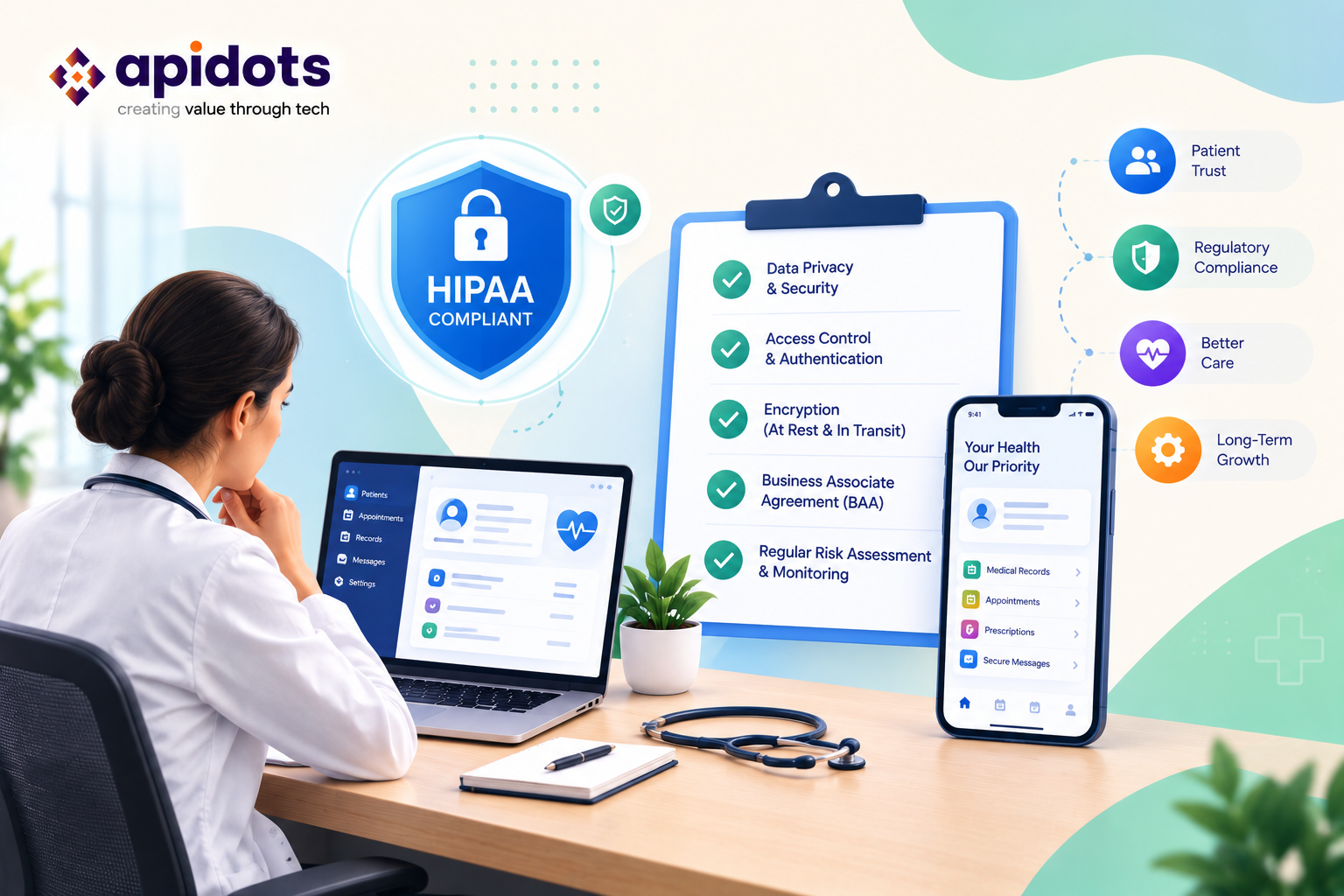
Healthcare technology is changing how patients access medical services, communicate with providers, manage appointments, and receive ongoing care. From telemedicine platforms and patient portals to remote patient monitoring applications and digital health records, software is becoming an essential part of modern healthcare delivery.
However, building a healthcare application involves more than creating a convenient user experience. Healthcare businesses must also consider how patient information is collected, stored, accessed, shared, and protected.
For founders developing products for the United States healthcare market, the Health Insurance Portability and Accountability Act (HIPAA) is an important regulatory consideration. Depending on the business model and the organization’s role, HIPAA may impose specific obligations concerning protected health information (PHI), privacy, security, business relationships, and breach notification.
This creates a challenge for non-technical founders. You may understand the healthcare problem your product solves, but evaluating encryption, cloud infrastructure, application programming interfaces (APIs), access controls, and security documentation can feel overwhelming.
The good news is that you do not need to become a software engineer to make informed decisions. You need a clear understanding of your responsibilities, the questions to ask your development team, and the evidence to request before launching your product.
This guide provides a practical checklist for planning HIPAA-compliant application development, choosing technology partners, evaluating software security, and preparing your healthcare app for launch.
Whether you are building telehealth platform, a patient engagement application, a healthcare management system, or a remote monitoring solution, the principles discussed here can help you make better product and vendor decisions.
Important: This guide is for general informational purposes and is not legal advice. HIPAA applicability and compliance obligations depend on your organization’s activities, relationships, and circumstances. Consult qualified healthcare privacy counsel and security professionals for advice specific to your product.
HIPAA-compliant app development is the process of designing, building, testing, deploying, and maintaining an application in a way that supports the applicable requirements of HIPAA.
HIPAA is a United States federal law that includes provisions governing the privacy and security of certain health information. Its implementing regulations include the Privacy Rule, Security Rule, and Breach Notification Rule.
For digital healthcare products, the Security Rule is particularly relevant because it addresses electronic protected health information (ePHI). It requires covered entities and business associates to implement appropriate administrative, physical, and technical safeguards for ePHI.
The Privacy Rule addresses how protected health information may be used and disclosed, while the Breach Notification Rule establishes notification obligations following certain breaches of unsecured PHI.
These requirements affect more than the application itself. They can influence vendor contracts, employee responsibilities, operational policies, incident response procedures, and the systems that support the product.
Consider a patient management application that allows individuals to book appointments, communicate with healthcare providers, review medical information, and receive follow-up instructions.
A responsible development approach would consider questions such as:
These questions demonstrate why compliance cannot be reduced to a single technical feature.
Encryption is valuable, for example, but it does not replace risk analysis, access management, workforce training, appropriate contracts, or incident response planning.
A common mistake is to treat compliance as a final development milestone.
In reality, an application can become less secure after launch if its software dependencies become outdated, access permissions are not reviewed, new integrations introduce risks, or operational practices fail to keep pace with product changes.
HIPAA-related responsibilities must therefore be considered throughout the software lifecycle: discovery, design, development, testing, deployment, and maintenance.
Before investing in security controls, establish whether HIPAA applies to your organization and how your application will interact with health information.
Not every health-related app is automatically subject to HIPAA. Applicability depends on the organization’s role, its relationships with covered entities, and the information and services involved.
HIPAA generally applies to covered entities and their business associates.
Covered entities include healthcare providers that conduct certain electronic transactions, health plans, and healthcare clearinghouses.
Business associates are individuals or organizations that perform certain functions or activities involving protected health information on behalf of a covered entity, or provide certain services to it that involve PHI.
For example, a healthcare software company that develops and operates a patient management application for a hospital may qualify as a business associate if it handles PHI on the hospital’s behalf.
A cloud provider that maintains ePHI for a covered entity or business associate may also qualify as a business associate, even if the information is encrypted and the provider does not hold the decryption key. Applicable business associate obligations must be evaluated based on the services and relationship involved.
HHS provides additional guidance on business associates and their responsibilities.
| Application type | Key consideration |
| Telemedicine platform | Does it handle PHI on behalf of a covered healthcare provider? |
| Electronic health record application | Who operates the system, and whose records does it maintain? |
| Patient engagement portal | Is it offered by or on behalf of a HIPAA-covered organization? |
| Remote patient monitoring software | Who receives and maintains the health information, and in what capacity? |
| Healthcare appointment application | Does it process identifiable patient information on behalf of a covered entity? |
| Direct-to-consumer wellness app | Is it outside HIPAA’s scope, or do its relationships or activities trigger applicable requirements? |
These examples are starting points, not legal determinations. A product’s name or category alone does not establish whether HIPAA applies.
Some consumer health apps may fall outside HIPAA but remain subject to other privacy, consumer protection, state, or federal requirements. The Federal Trade Commission’s Health Breach Notification Rule may apply to certain businesses that are not covered by HIPAA.
The HHS mobile health app resources can help founders understand which laws may apply to different app models.
Before development begins, document the following:
Founder takeaway: Establishing the regulatory scope early prevents you from building a product around incorrect assumptions about privacy, security, or vendor responsibilities.
Once you understand your potential HIPAA obligations, the next step is identifying the information your application will process.
Many founders initially focus on obvious medical records, such as diagnoses, prescriptions, and laboratory results. However, an application’s data footprint can be much broader.
It may include patient names, contact details, appointment information, insurance details, messages with clinicians, device readings, and information exchanged through external services.
Under HIPAA, PHI generally includes individually identifiable health information created, received, maintained, or transmitted by a covered entity or business associate, subject to applicable definitions and exceptions.
Electronic PHI is commonly referred to as ePHI.
You do not need a complex technical diagram to begin. A spreadsheet documenting the information your app handles is a useful starting point.
| Data category | Example | Questions to ask |
| Patient identity | Name, date of birth, contact details | Who can view this information? |
| Clinical information | Diagnoses, prescriptions, test results | Where is it stored and how is it protected? |
| Appointment records | Visit dates, provider details | Could notifications reveal sensitive information? |
| Communications | Patient-provider messages | Are messages protected and retained appropriately? |
| Monitoring data | Heart rate, glucose readings | Which devices or services receive the data? |
| Billing information | Claims and payment records | Which systems access the data, and for what purpose? |
| Technical records | Access logs, error reports | Could logs accidentally contain patient information? |
Not every item in this table is automatically PHI in every context. The classification depends on the information, the circumstances, and the relevant legal definitions.
For each important data category, document:
For example, a remote monitoring app may collect readings from a wearable device, send them through an API, store them in a cloud environment, display them to a clinician, and generate an alert for a care team.
Each step introduces potential security, privacy, and contractual considerations.
A useful product principle is to collect only the information needed for defined business and clinical purposes.
If your first release does not require a particular data field, avoid collecting it simply because it might be useful later.
Data minimization can reduce unnecessary exposure, simplify product design, and make it easier to explain how information is used.
Your development team should document what data is necessary, which features depend on it, and whether it can be excluded from analytics, notifications, logs, or external integrations.
Founder checklist:
One of the most expensive mistakes a founder can make is postponing privacy and security decisions until the application is almost finished.
Adding appropriate safeguards after the database structure, workflows, integrations, and user permissions have already been established may require significant redesign.
Instead, make privacy and security part of the initial product requirements.
Your application may support patients, physicians, nurses, administrators, billing staff, support representatives, and external partners.
These users should not automatically receive the same permissions.
For example, a billing employee may need access to billing information without needing unrestricted access to clinical notes. A patient should ordinarily be able to access their own permitted records, not another patient’s information.
Your product requirements should specify the actions each user category may perform.
Common permissions include:
The exact permission model depends on the product and the organizations using it.
Least privilege means providing users and systems only the access necessary for their responsibilities.
It reduces the impact of compromised accounts, accidental disclosures, and inappropriate internal access.
Ask your development team to explain how permissions will be assigned, reviewed, changed, and revoked.
Also consider temporary access, emergency access, administrator privileges, and the process for removing access when an employee or contractor leaves.
Privacy is not limited to the database. It also affects user experience.
A patient portal should avoid exposing sensitive information in public areas of the interface. Notifications should be designed carefully, and screen-sharing or support workflows should not reveal unnecessary records.
For example, a push notification that says a patient has an appointment may be more appropriate than one that reveals a sensitive diagnosis on a locked screen. The right approach depends on the use case, user expectations, and applicable requirements.
When privacy requirements are clear before coding begins, the development team can make informed architecture and design decisions rather than retrofitting safeguards later.
Choosing the right development partner is a critical decision for any healthcare founder.
A vendor may have excellent design skills and a strong portfolio, yet lack the experience needed to build and maintain applications that handle regulated health information.
Your goal is to identify a team that understands healthcare workflows, can explain security decisions in plain English, and knows how to work with your legal and compliance advisers.
When evaluating a healthcare app development company, ask whether the team has experience with:
A vendor does not need to have built your exact product before, but it should be able to explain how it will address your project’s specific risks.
1. How will you identify security risks before development?
Look for a structured discovery process that identifies data flows, threats, system dependencies, and appropriate safeguards.
2. How do you handle access permissions?
The vendor should explain how it plans to prevent unauthorized users from viewing sensitive records and how privileged access will be controlled.
3. How will you protect data in transit and at rest?
Ask which encryption mechanisms are planned, how keys are managed, and whether protection applies to backups and other data stores.
4. How do you test the application before release?
A credible process may include code review, automated security checks, dependency scanning, access-control testing, and appropriately scoped penetration testing.
5. What happens if a security incident occurs?
Ask how the vendor detects incidents, communicates with customers, preserves evidence, supports investigation, and meets applicable contractual reporting requirements.
6. Which third-party services will the product depend on?
Request an inventory of cloud providers, messaging services, analytics tools, monitoring platforms, and healthcare integrations.
7. What documentation will we receive?
You should understand which architecture records, test reports, risk assessments, configuration details, and operational procedures will be delivered.
Be cautious if a vendor:
A responsible vendor will acknowledge limitations, identify open questions, and work with qualified compliance professionals when necessary.
| Evaluation area | Suggested weight |
| Healthcare and regulatory understanding | 20% |
| Security architecture and access controls | 20% |
| Risk assessment and testing practices | 20% |
| Third-party and integration management | 15% |
| Documentation and incident response | 15% |
| Maintenance and long-term support | 10% |
Use this scorecard to structure discussions rather than as proof of compliance. A high score does not replace due diligence, contractual review, or independent security assessment.
Where applicable, the agreement should clearly define scope, deliverables, security responsibilities, intellectual property, support arrangements, incident notification, subcontractor use, and data return or deletion.
If the vendor acts as a business associate, or as a subcontractor that qualifies as a business associate, the appropriate business associate agreement and related contractual requirements must be addressed.
A business associate agreement (BAA) is not simply a certificate. It establishes permitted uses and disclosures of PHI and contractual safeguards and responsibilities.
HHS explains these obligations in its business associate guidance.
You do not need to choose encryption algorithms or configure servers yourself. However, you should understand the safeguards your development team proposes and what risks they are intended to reduce.
The HIPAA Security Rule addresses administrative, physical, and technical safeguards. These categories work together; no single technology replaces the others.
Administrative safeguards concern how an organization manages security responsibilities and risks.
Examples include:
For founders, this means security needs an owner, a documented process, and a budget—not just a developer who says the application is secure.
Physical safeguards address physical access to systems and the facilities or devices that contain electronic health information.
Depending on the architecture, relevant controls may involve data center protections, device security, workstation policies, and controls for equipment that can access sensitive information.
When using a cloud provider, ask which physical safeguards the provider manages and which responsibilities remain with your organization.
Technical safeguards protect information through technology and system configuration.
They may include:
The precise controls should be selected based on the organization’s risk analysis and applicable HIPAA requirements.
HHS provides Security Rule guidance and educational resources to help organizations understand these responsibilities.
Encryption helps prevent unauthorized parties from reading data without the necessary keys.
Ask your team to explain how sensitive information will be protected during transmission and while stored, including backups and relevant application logs.
Also ask how encryption keys are created, stored, rotated, and restricted.
Do not assume that using HTTPS automatically protects every copy of patient information or that an encrypted database eliminates other risks.
Authentication establishes that a user is who they claim to be. Multifactor authentication (MFA) adds another verification factor beyond a password.
For healthcare systems, MFA is an important security measure to evaluate, especially for administrators and users with access to sensitive records.
Ask your team to explain how account recovery, session expiration, repeated failed logins, and compromised credentials will be handled.
Audit logs help organizations investigate activity involving sensitive records.
Depending on the application, logs may record access, changes, exports, permission updates, and administrative actions.
Ask whether logs are protected against unauthorized modification, reviewed for suspicious activity, and retained according to documented requirements.
Logs should also be designed carefully so that they do not unnecessarily expose PHI.
A healthcare application must consider what happens when infrastructure fails, information is corrupted, or a cyberattack disrupts operations.
Ask your team:
A backup strategy that has never been tested may not work when it matters most.
Founder checklist:
Cloud infrastructure can help healthcare startups scale without maintaining all their own physical servers. However, using a reputable cloud provider does not automatically make your application HIPAA compliant.
The provider, services selected, contractual arrangements, configuration, and your own operational practices all matter.
If a cloud service provider creates, receives, maintains, or transmits ePHI on behalf of a covered entity or business associate, it may qualify as a business associate.
When applicable, an appropriate BAA must be in place before the service is used for that purpose.
Do not assume a vendor is exempt because it cannot decrypt the data. HHS specifically explains that maintaining encrypted ePHI without possessing the decryption key does not, by itself, eliminate business associate status.
A large cloud platform may offer many products, but not every product or configuration should be assumed suitable for handling ePHI.
Ask the provider and your technical team to confirm:
HHS provides guidance on HIPAA and cloud computing explaining the importance of business associate contracts and risk management.
Healthcare applications often depend on multiple services, such as:
Before integrating a service, determine whether it will receive, store, or otherwise process PHI. If it will, assess its role, contractual requirements, data-handling practices, and suitability for the intended use.
A service that is appropriate for ordinary website analytics may not be appropriate for identifiable patient activity.
Avoid sending patient names, appointment details, diagnoses, access tokens, or other sensitive information to analytics tools unless the use has been properly evaluated and authorized.
A simple vendor register can help you maintain oversight.
| Vendor | Purpose | Potential access to PHI | Required action |
| Cloud hosting provider | Application hosting and storage | Depends on services and configuration | Verify eligibility, responsibilities, and BAA where applicable |
| Messaging provider | Patient reminders | May receive message content or contact data | Review data flows and contractual obligations |
| Video provider | Telehealth visits | May process sensitive communications | Assess suitability and applicable safeguards |
| Analytics provider | Product usage measurement | Depends on collected events | Minimize data and assess legal requirements |
| Support platform | Customer assistance | May expose account or patient details | Restrict access and establish safe workflows |
The entries above are examples, not determinations about any particular vendor.
APIs allow applications to exchange information with other systems. They are central to many healthcare products because patient information may need to move between an app, an electronic health record (EHR), a laboratory, a pharmacy, a billing platform, or a monitoring device.
However, each integration creates another connection that must be assessed and managed.
Before authorizing development, document why each API is necessary and what information it will exchange.
For example, an appointment application may connect to a provider’s scheduling system. The integration might need appointment availability and booking details but not unrestricted access to clinical records.
The integration should expose only the information and actions needed for its defined purpose.
Ask your team how external systems will authenticate requests and how permissions will be limited.
The design should consider token protection, credential storage, expiration, revocation, and the permissions granted to each integration.
Avoid shared credentials that give every connected service unrestricted access.
Data received through an API should be validated before it is processed or stored.
Your development team should consider malformed requests, unexpected fields, incorrect patient identifiers, duplicated events, and unauthorized changes.
These issues can affect both security and clinical workflows.
Your team should be able to identify failed requests, suspicious access patterns, unexpected data transfers, and integration outages.
Monitoring should support investigation without unnecessarily recording sensitive information in logs.
Depending on the product, your integration strategy may involve healthcare interoperability standards such as HL7 or FHIR.
These standards can improve the consistency of healthcare data exchange, but using a standard does not automatically guarantee secure or compliant implementation.
Your team should explain which standards are needed, which systems support them, and how authorization and data validation will work.
For founders evaluating healthcare API software development services, the key question is not simply whether a vendor can connect two systems. It is whether the integration is necessary, appropriately authorized, secure, testable, and maintainable.
API integration checklist:
Mobile applications introduce additional risks because phones and tablets may be lost, shared, connected to insecure networks, or configured with personal applications that access device information.
If your product includes a patient-facing mobile app or clinician-facing mobile workflow, mobile security should be part of the original scope.
Ask whether the app needs to store sensitive information locally.
If local storage is necessary, the team should evaluate appropriate platform-provided protections, secure storage mechanisms, encryption, and data retention behavior.
Avoid storing sensitive information in unprotected files, general-purpose caches, or other locations where it may be unnecessarily exposed.
The application should handle authentication sessions carefully.
Questions to discuss include:
The correct approach depends on the application, its users, and its risks.
Push notifications, crash reports, and performance monitoring can unintentionally expose health information.
Ask your team to review what data is included in notification payloads and diagnostic reports. Sensitive information should not be included simply because it makes troubleshooting easier.
Testing should consider more than whether the app works on a new phone.
Evaluate interrupted sessions, lost connectivity, device changes, revoked access, operating-system updates, and failed synchronization.
For founders evaluating Mobile App Development services, choose a team that can explain these scenarios clearly and include them in its testing plan.
AI-powered features are increasingly common in healthcare software. Examples include appointment assistants, clinical documentation support, patient communication tools, administrative automation, and systems that help summarize records.
These capabilities can improve efficiency, but they introduce additional questions about sensitive data, model providers, output accuracy, and human oversight.
Before integrating an AI model, determine what information the service receives, where it is processed, whether it is retained, and whether the provider may use it for other purposes.
If PHI is involved, assess the provider’s role and applicable contractual requirements before sending information.
Do not assume a public AI service is appropriate for patient information simply because it is accessible through an API.
Decide what the AI feature may do independently and when a qualified person must review its output.
For example, a scheduling assistant may be allowed to suggest appointment times, while a feature that generates clinical recommendations may require a much more rigorous assessment of clinical safety, oversight, and regulatory obligations.
AI prompts, conversation histories, debugging records, and generated outputs may contain sensitive information.
Your team should establish retention, access, monitoring, and deletion practices for these data stores.
AI systems can produce inaccurate summaries, misinterpret user requests, or reveal information in inappropriate circumstances.
Test realistic scenarios, document limitations, and provide a process for users to report errors.
HIPAA is only one consideration here. Depending on the product’s function, additional privacy, consumer protection, medical-device, or other regulatory requirements may apply.
Before launching a healthcare application, establish how the team will verify that its safeguards work as intended.
A successful demonstration of the main user journey does not prove that access controls, privacy protections, and recovery procedures are effective.
Create test accounts for each important user role.
Verify that users cannot view another patient’s information, access unauthorized records through modified URLs, or perform restricted actions by changing request parameters.
Check both the user interface and the server-side authorization controls. Hiding a button does not prevent someone from attempting the underlying action directly.
Depending on the application, the testing plan may include:
The scope and depth should be based on the product’s risk profile.
Security and availability testing should also cover backups, restoration, access revocation, integration outages, and incident response procedures.
If the application is intended to support time-sensitive care workflows, discuss the operational impact of downtime with clinical stakeholders.
Ask your vendor to document the tests performed, their scope, significant findings, remediation status, and any remaining limitations.
An independent assessment can provide additional confidence, but no single test or report proves that every aspect of an organization is compliant.
A risk register is a simple document that records known risks, their potential impact, the planned response, and the person responsible for addressing them.
For example:
| Risk | Potential impact | Example mitigation |
| Excessive user permissions | Unauthorized access to patient records | Review and test least-privilege permissions |
| Sensitive data in analytics | Unintended disclosure | Minimize events and review data sharing |
| Weak account recovery | Account takeover | Test identity verification and recovery controls |
| Unverified backups | Data loss or prolonged downtime | Perform documented restoration tests |
| Unmanaged third-party service | Unreviewed data exposure | Maintain a vendor inventory and review process |
The register should be updated as the application changes, new vendors are added, or new risks are identified.
Software controls are only part of a healthcare product’s compliance program. Founders must also consider the policies, contracts, and processes that govern how the product is operated.
Work with qualified advisers to ensure that applicable privacy notices accurately describe the product’s data practices.
Where required, covered entities may also need HIPAA-related notices and other documentation. Your organization may need policies addressing workforce access, acceptable use, data retention, information sharing, and handling patient requests.
The documentation should match the application’s real behavior. A privacy policy cannot compensate for a product that shares information in ways the organization has not properly evaluated or authorized.
Where a business associate relationship exists, the appropriate BAA must address the applicable requirements.
Review whether your organization needs agreements with customers, cloud providers, development partners, or other service providers based on their actual roles and access to PHI.
Do not assume that every software vendor is a business associate or that every vendor is exempt. The relationship and services must be evaluated individually.
People can introduce risks even when the software is well designed.
Employees and contractors should understand how to handle sensitive information, report suspicious activity, verify access requests, and avoid sharing patient information through unapproved channels.
Assign clear ownership for privacy, security, vendor management, and incident response.
Prepare a written plan describing how your organization will identify, assess, contain, investigate, and respond to security incidents.
The plan should identify who makes decisions, who contacts external advisers, how evidence is preserved, and how affected vendors and customers are notified.
HIPAA’s Breach Notification Rule may require notifications following certain breaches of unsecured PHI. Applicable responsibilities and deadlines depend on the organization’s role and the circumstances.
See the HHS Breach Notification Rule guidance for an overview.
Founder checklist:
Founders searching for the best HIPAA-compliant management software should evaluate more than a vendor’s marketing claims.
The right solution depends on the organization’s workflows, data types, integrations, size, operational requirements, and ability to manage security responsibilities.
For one healthcare business, an established platform with configurable workflows may be sufficient. Another may need a custom application because its clinical operations, patient experience, or integrations are not supported by existing products.
Consider these criteria when comparing healthcare management platforms:
| Evaluation criterion | What to verify |
| Functional fit | Does the product support your actual clinical and administrative workflows? |
| Privacy and security | Are appropriate controls and documentation available for your use case? |
| Contractual support | Will the provider enter into required agreements where applicable? |
| Integration capability | Can it connect securely with your existing systems? |
| User permissions | Can access be restricted by role and responsibility? |
| Auditability | Can relevant access and administrative actions be reviewed? |
| Availability | Are backup, recovery, and service continuity arrangements appropriate? |
| Scalability | Can the system support expected growth without introducing unmanaged risks? |
| Support | Can the provider help investigate incidents and resolve operational problems? |
| Portability | Can your organization retrieve its data and transition to another provider if necessary? |
An existing platform may reduce initial development effort and provide established workflows. However, you should verify whether it supports your requirements, integrations, contractual needs, and operational model.
Custom development provides greater control over features and user experience but also introduces responsibility for ongoing maintenance, security updates, testing, and product governance.
A practical decision process is to document the business requirements first, evaluate existing solutions against them, and identify the gaps that genuinely require custom development.
If you select a custom solution, ensure that the project budget covers security and compliance work beyond the initial build.
There is no universal price or delivery timeline for HIPAA-compliant application development.
Costs depend on the application’s complexity, number of user roles, integrations, mobile requirements, data sensitivity, existing infrastructure, security testing, and operational support needs.
A simple patient scheduling application and a platform handling clinical records across multiple organizations have very different requirements.
Your budget should account for more than design and coding.
Typical categories include:
Some costs recur after launch, such as cloud hosting, software updates, security monitoring, and vendor reviews.
A phased approach helps founders validate product assumptions before committing to every proposed feature.
Phase 1: Discovery and risk assessment. Define users, workflows, data flows, regulatory questions, integrations, and key risks.
Phase 2: Architecture and product design. Establish the system design, access model, infrastructure approach, and security requirements.
Phase 3: Development. Build the core workflows and supporting services, incorporating privacy and security controls.
Phase 4: Testing and remediation. Verify functionality, permissions, integrations, security safeguards, and recovery procedures.
Phase 5: Launch readiness. Complete outstanding reviews, confirm contracts, prepare operational procedures, and train relevant personnel.
Phase 6: Ongoing operations. Monitor the system, address vulnerabilities, review access, manage vendors, and update documentation.
This approach helps make responsibilities and costs visible earlier. It does not eliminate the need for legal review or guarantee that a particular launch date will be achievable.
Before releasing your healthcare application, use the following checklist to confirm that the main business, technical, and operational questions have been addressed.
Do not treat the checklist as a certification. Instead, use it to identify unresolved issues and determine who must approve them.
For any significant outstanding risk, document the potential impact, the mitigation plan, the accountable owner, and whether the issue must be resolved before launch.
Your launch decision should reflect the application’s actual risk profile and applicable obligations—not simply whether the development team has completed its feature list.
Even well-funded healthcare startups can make avoidable mistakes when privacy and security are treated as secondary concerns.
HIPAA applicability depends on the organization’s role and activities. Some consumer health applications may instead be subject to other laws or overlapping requirements.
Better approach: Assess the business model and data flows before deciding which rules apply.
Encryption helps protect information, but it does not replace access controls, risk analysis, policies, monitoring, or recovery planning.
Better approach: Evaluate safeguards as a coordinated system.
A low initial quote may omit security testing, documentation, maintenance, or integration risk management.
Better approach: Compare proposals based on scope, deliverables, security practices, and long-term operating costs.
Analytics, messaging, AI, and support tools can introduce additional recipients of sensitive information.
Better approach: Review every integration before sending PHI and establish appropriate contractual and technical safeguards.
Late-stage changes can require redesigning permissions, databases, and integrations.
Better approach: Include security requirements in discovery, architecture, and acceptance testing.
Applications evolve, vulnerabilities emerge, vendors change their services, and employees change roles.
Better approach: Budget for continuous monitoring, maintenance, access reviews, risk management, and periodic evaluation.
A development company cannot make every aspect of your organization compliant simply by delivering an application.
Better approach: Ask for evidence, define responsibilities contractually, and involve qualified privacy and security professionals.
Healthcare founders need a development partner that understands both product goals and the importance of building appropriate security safeguards into the software lifecycle.
APIDOTS provides software development services that can support organizations planning digital products, including web applications, mobile applications, APIs, and custom software solutions.
For healthcare projects, the appropriate engagement should begin with a clear understanding of the intended users, information flows, integration requirements, security expectations, and operational responsibilities.
A structured development process can help founders translate business requirements into practical product specifications, define access-control workflows, plan integrations, and organize testing and maintenance activities.
Healthcare application planning: Define workflows, user roles, product scope, and integration requirements before development begins.
Mobile and web application development: Build patient-facing or staff-facing interfaces with security and privacy requirements incorporated into the product specification.
Healthcare API integrations: Plan data exchange with relevant healthcare systems, subject to technical compatibility, authorization, and contractual requirements.
Security-focused implementation: Work with the organization’s compliance and security advisers to implement appropriate access controls, logging, data protection, and testing requirements.
Maintenance and improvement: Support software updates, defect remediation, integration changes, and improvements to the application over time.
The specific services, experience, contractual commitments, and capabilities available for a healthcare engagement should be verified directly with the provider.
No development partner should promise HIPAA compliance solely on the basis of writing code. The organization’s obligations, vendor arrangements, policies, infrastructure, and ongoing operations must all be considered.
For founders evaluating a healthcare software development company, the best partnership is one that combines transparent communication, documented responsibilities, appropriate technical expertise, and a commitment to ongoing product improvement.
Building a healthcare application requires a balance between usability, business goals, technical quality, privacy, and security. For non-technical founders, the most effective starting point is not choosing a technology stack or hiring the cheapest development team. It is understanding the information your product handles, determining which obligations apply, and establishing clear expectations before development begins.
A practical approach to HIPAA-compliant application development includes mapping data flows, defining user permissions, evaluating cloud and third-party providers, planning secure integrations, testing safeguards, documenting responsibilities, and maintaining the product after launch.
The process also requires collaboration. Your development team can implement technical controls, but qualified legal and security professionals should help assess regulatory obligations and risks. Your organization must establish the appropriate contracts, policies, workforce practices, and operational procedures.
APIDOTS can be considered as a potential development partner for organizations exploring custom web applications, mobile app development, API integrations, and software product development. As with any healthcare technology engagement, founders should verify the provider’s relevant experience, security processes, deliverables, and contractual capabilities before sharing protected health information or committing to a project.
The key principle is simple: plan for privacy and security from the beginning, verify safeguards with evidence, and treat compliance as an ongoing responsibility rather than a one-time launch requirement.
A healthcare product built around these principles is better positioned to earn stakeholder trust, manage operational risks, and support sustainable growth.
HIPAA-compliant application development is the process of designing, building, testing, and maintaining software in a way that supports applicable HIPAA requirements. It involves more than technical safeguards: risk analysis, access management, contracts, policies, workforce practices, and ongoing security operations may also be necessary.
Whether HIPAA applies depends on the organization’s role, the information involved, and its relationships with healthcare entities.
The cost varies according to application complexity, user roles, integrations, infrastructure, security testing, and ongoing operational needs. A basic appointment application may require a different investment from a multi-organization platform handling clinical records.
Request a detailed estimate that separates discovery, development, testing, security work, legal and compliance support, infrastructure, and post-launch maintenance.
A business associate agreement is required in applicable business associate relationships under HIPAA. Whether a particular development company must sign one depends on the services it provides, the information it handles, and its relationship with the covered entity or business associate.
Determine the vendor’s role before sharing PHI, and have qualified counsel review the required contractual arrangements.
No. Cloud hosting alone does not establish compliance. Where a cloud provider maintains or processes ePHI on behalf of a covered entity or business associate, applicable contractual requirements, including a BAA, must be addressed.
The customer must also evaluate the cloud service configuration, conduct risk analysis, and implement its own required safeguards.
Evaluate the software’s functional fit, access controls, audit capabilities, vendor contracts, integration support, security documentation, availability, data portability, and maintenance arrangements.
Do not rely solely on a vendor’s use of the phrase “HIPAA-compliant.” Verify the services covered, responsibilities assigned, and evidence available for your particular use case.
Potentially, yes. An existing application can be assessed and improved, but the extent of the work depends on its architecture, data flows, access model, third-party integrations, documentation, and operational practices.
A structured assessment should identify gaps and prioritize remediation. Some applications may require substantial redesign, and no upgrade alone guarantees organizational compliance.
We leverage AI, cloud, and next-gen technologies strategically.Helping businesses stay competitive in evolving markets.
Consult Technology Experts