
Top
Search
People also search for:

Stay Inspired with Instagram




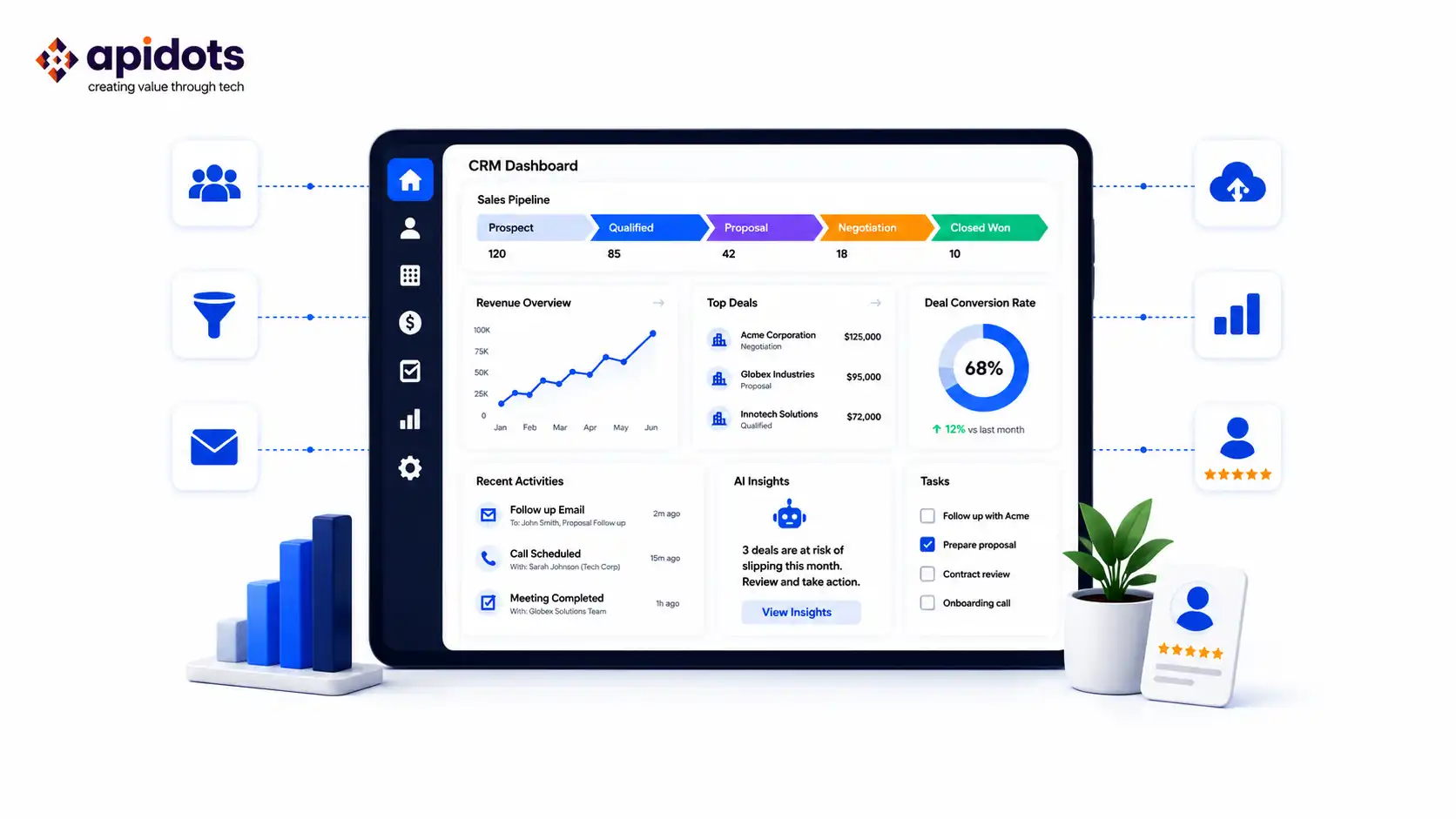
A CRM doesn’t fix a broken sales process. It makes a broken process faster and more visible. Most B2B CRM implementations fail not because the software is wrong, but because teams choose based on feature lists rather than workflow fit, then wonder why adoption is low six months later.
For a deeper look at implementation, see API DOTS’ guide to CRM implementation best practices. This guide skips the feature padding and focuses on what actually matters: what each platform costs at the scale you’ll actually reach, where each one breaks down, and when custom CRM development makes more sense than any off-the-shelf option.
There are dozens of CRM tools on the market in 2026. Most comparison articles review all of them. This one doesn’t. The platforms covered here are the five that come up consistently in real B2B buying decisions — HubSpot, Salesforce, Zoho, Pipedrive, and Freshsales — plus an honest section on when none of them are the right answer.
Pricing changes often. The figures below were checked on July 9, 2026, using official vendor pricing pages where available and independent pricing references where vendor pages localize currency by visitor region. Treat this as a buying shortlist, not a substitute for checking each vendor’s live quote before signing.
Before you book a demo, answer these five questions for your own business. They’ll cut through 80% of the noise.
Does it match your sales motion?
A short transactional sales cycle (someone books a call and buys in a week) has very different needs from a long enterprise cycle (six months, multiple stakeholders, legal review). Most CRMs are better at one than the other.
What does it actually cost in 12 months?
Not the advertised starting price — the real number including the seat count you’ll have by Q4, the add-ons you’ll need, and the implementation cost. This number is almost always higher than the number on the pricing page. The same logic applies when comparing SaaS subscriptions with build costs; Apidots’ SaaS development cost guide is useful when you need a build-vs-buy model.
How well does it integrate with your stack?
A CRM that doesn’t talk to your email, your billing tool, and your support desk creates more data entry work than it eliminates. The integration depth matters more than the feature list, especially when CRM data has to move between billing, support, analytics, and internal workflow tools.
What does implementation actually require?
Some platforms are self-serve in a day. Others need a certified implementation partner and months of configuration, migration, and automation testing. Be honest about your team’s capacity to implement and maintain the system.
Who owns your data if you leave?
This question sounds paranoid until you’re paying a vendor to export your own contact records. Ask it before you sign anything.
| Platform | Free Tier | Paid Entry Price | Mid Tier | Best For | Watch Out For |
| HubSpot | Yes (up to 2 users) | $7–$20/user/mo (Starter; current promo/list display varies) | $90–$100/user/mo (Sales Hub Professional) | Teams that need CRM + marketing in one | Costs escalate at Professional; onboarding fees apply |
| Salesforce | Free Suite/trials shown; verify limits | $25/user/mo (Starter Suite) | $175/user/mo (Enterprise) | Complex enterprise B2B sales | Admin overhead, add-ons, and support plans raise TCO |
| Zoho CRM | Yes (up to 3 users) | $14/user/mo (Standard, annual USD) | $40/user/mo (Enterprise, annual USD) | Budget-conscious teams needing broad features | Learning curve steeper than simpler CRMs |
| Pipedrive | No (14-day trial only) | $14/user/mo (Lite, annual USD benchmark) | $59/user/mo (Premium, annual USD benchmark) | Sales-focused teams with a clear pipeline | Marketing automation is limited; regional pricing varies |
| Freshsales | Yes (up to 3 users) | $9/user/mo (Growth) | $39/user/mo (Pro) | Teams wanting built-in phone + AI at low cost | Smaller ecosystem than HubSpot or Salesforce |
Pricing checked July 9, 2026. All prices are per user per month unless noted. Some vendors localize pricing by country and may show temporary discounts, so verify current rates on the linked vendor pricing pages before purchase.
Best for: Teams that want CRM and marketing automation under one roof.
HubSpot’s free CRM is genuinely one of the better free tools in this market. You get contact management, deal tracking, email templates, meeting scheduling, and live chat — for up to two users, at no cost. It’s a real starting point, not a bait-and-switch demo, but it has clear scaling limits.
The problem with HubSpot isn’t the entry price — it’s where you land 18 months in. The free tier gets many teams to the point where they need automation, at which point Sales Hub Professional becomes the practical comparison tier.
HubSpot’s current pricing page shows Professional at $90/user/month when billed annually and $100/user/month on the monthly display, plus a required one-time Professional onboarding fee. Add Marketing Hub if you want deeper marketing automation, and the bill climbs further.
It’s also worth noting that HubSpot structures its pricing around “hubs” — Sales Hub, Marketing Hub, Service Hub, and so on — which are purchased separately. The full Customer Platform bundle costs significantly more than any individual hub. If you need the full stack, budget accordingly.
Best for: Enterprise B2B sales with complex pipelines and dedicated CRM admin.
Salesforce is still the most capable enterprise B2B CRM in the market. It’s also the platform with one of the largest gaps between the advertised seat price and the real total cost. Understanding this gap before you buy is the most important thing this section can do for you.
The license cost is just the beginning. For serious integration work — email, ERP, billing, support, warehouse systems, custom data sync — the Enterprise tier at $175/user/month is usually the realistic baseline, as it is the first tier Salesforce describes as offering more flexible web API access. A 20-person sales team on Enterprise is paying $3,500/month in licenses alone.
On top of that, implementation for mid-size deployments can easily run into five or six figures depending on data migration, integrations, permissions, reports, and how much customization your workflows require. Salesforce isn’t plug-and-play for any team with real process complexity.
Most mid-market buyers end up paying a Salesforce-certified implementation partner, adding cost before anyone logs a single deal. And once the system is live, ongoing admin — keeping fields clean, building reports, managing permissions — typically requires a dedicated person, either in-house or contracted.
The hidden cost that surprises most buyers: Salesforce’s Premier Success Plan, which provides meaningful support beyond the basic tier, is priced at 30% of your net license fees annually. On a $42,000/year Enterprise license for 20 users, that’s an additional $12,600/year just for support. Source: Salesforce pricing page.
Who should still buy Salesforce? Enterprise teams with a dedicated Salesforce admin or budget to hire one, complex multi-stage pipeline workflows that genuinely need the depth of customization, and organizations where the AppExchange ecosystem provides material business value. For everyone else — particularly teams of under 50 people without a CRM admin — the total cost of ownership is hard to justify relative to alternatives.
Best for: SMB and mid-market teams that need broad features without enterprise pricing.
Zoho CRM has one of the strongest feature-to-price ratios in this category. Its Enterprise plan at $40/user/month includes advanced automation, territory management, custom modules, and AI-driven capabilities that often require much higher tiers on enterprise CRMs. That comparison tells you almost everything you need to know about where Zoho wins.
The free tier supports up to three users and covers leads, contacts, deals, and basic reporting — genuinely enough for a very early-stage team. The Professional tier at $23/user/month is where Zoho becomes a serious tool: process management, inventory management, broader automation, and sales intelligence features unlock here.
The trade-off is clear: Zoho’s interface is more complex than HubSpot’s or Pipedrive’s. The platform is powerful precisely because it covers so much ground, and that breadth means more to configure and more to learn. Teams that want to be up and running in a day should look at Pipedrive.
Teams willing to invest a week or two in setup get significantly more capability per dollar. If your CRM strategy depends on AI-assisted scoring or next-best-action workflows, also review Apidots’ guide on AI integration in SaaS companies before committing to a platform architecture.
One more thing worth noting: Zoho offers a broader ecosystem of tools — Zoho Mail, Zoho Projects, Zoho Books — that integrate natively with the CRM. If you’re already using or plan to use multiple Zoho apps, the bundled Zoho One pricing (commonly advertised from $37/employee/month for the all-employee plan, subject to Zoho’s current terms) can be a compelling option for the right business. Verify pricing on the Zoho CRM pricing page before committing.
Best for: Sales-led teams with a defined pipeline process and no heavy marketing automation needs.
Pipedrive does one thing better than almost any other CRM: it makes pipeline management genuinely easy. The visual drag-and-drop interface, clean deal views, and activity-driven workflow are built around how salespeople actually work, not how software architects think salespeople work. Adoption tends to be high because the tool isn’t fighting your team’s habits.
The Lite plan’s biggest gap is the absence of full email sync and deeper automation. For most B2B teams, that alone makes Growth the practical entry point. Growth adds full email sync, automations, nurturing sequences, meeting scheduling, and contact timeline features that cover the daily workflow of most sales reps.
Where Pipedrive hits its ceiling: marketing automation. Pipedrive’s Campaigns add-on covers basic email blasts, but it is not a replacement for HubSpot or ActiveCampaign if inbound marketing drives most of your pipeline.
If your B2B sales motion depends on automated nurture sequences, content marketing, and lead scoring from marketing activity, Pipedrive will feel incomplete. For teams where sales is the primary motion and marketing is handled separately, it’s excellent value.
A note on add-ons and packaging: Pipedrive changed plan names and packaging in late 2025, so older comparisons using Essential, Advanced, Professional, Power, or Enterprise may be stale. Lead-generation features such as LeadBooster may be bundled in higher tiers and/or sold as add-ons on lower tiers depending on plan and region. See current pricing on the Pipedrive pricing page.
Best for: Teams wanting built-in phone, email, and AI at a low per-seat cost.
Freshsales offers a genuinely usable free plan for up to three users. The free tier includes contact management, deal tracking, Kanban views, email templates, and built-in phone/chat capabilities, which makes it an unusually practical option for small teams testing a CRM before deciding whether to pay.
Freddy AI, Freshsales’ built-in AI assistant, adds contact scoring, deal insights, AI-generated sales emails, and related sales intelligence features from the Pro tier. For teams that want AI-powered sales intelligence without paying Salesforce Enterprise prices, Freshsales Pro at $39/user/month is genuinely competitive. Built-in telephony (call directly from the CRM) is another differentiator; it’s included rather than an add-on, which simplifies the stack for sales teams that rely on phone outreach.
The honest trade-off: Freshsales has a smaller ecosystem than HubSpot or Salesforce. The integrations are there, but the depth of the AppExchange or HubSpot Marketplace isn’t. For teams with complex integration requirements, deep ERP connections, custom data pipelines, or niche industry tools, Freshsales may not have the connector you need.
Every platform reviewed here has real limitations. For teams that have hit those limitations — or can see they’re about to — custom CRM development stops being a nice-to-have and becomes the financially rational choice.
These are the signals that you’ve likely outgrown off-the-shelf:
The break-even comparison for custom CRM is the same as for any custom software decision:
Break-even period = Custom build cost ÷ Annual SaaS fees + operational savings eliminated
Example: $90,000 custom CRM ÷ $45,000/year saved on SaaS + recovered admin time = 2-year break-even
After break-even, the custom system costs hosting, maintenance, security, and enhancement work — but not per-seat SaaS licensing. The SaaS bill would still be growing. That’s the math that moves B2B companies with 30–100 sales users toward building rather than buying.
The custom CRM guide covers how to evaluate this for your specific situation, and Apidots’ AI data privacy guide is worth reading if customer data will feed scoring, prediction, or automation models.
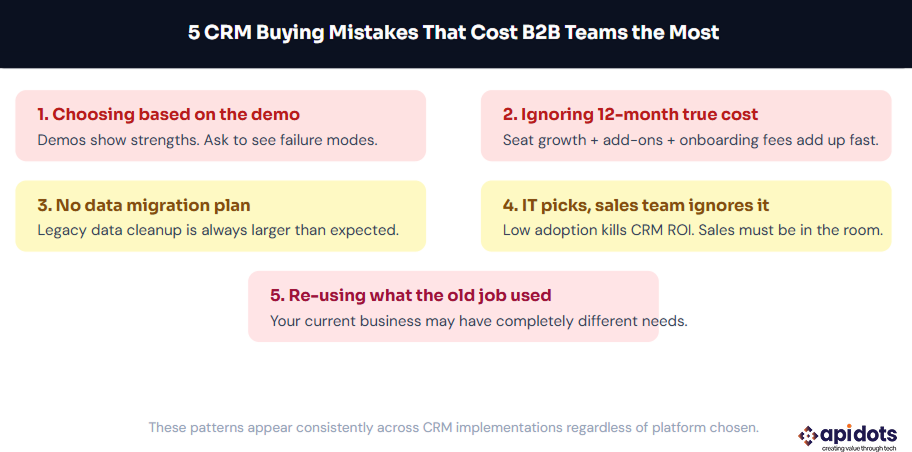
Here’s the decision framework in plain language:
Start with HubSpot free or Zoho free. No reason to pay until you’ve validated that the CRM is actually being used. Upgrade when you need automation.
Pipedrive Growth or Premium. Clean interface, strong pipeline management, enough automation for most sales teams. Add a separate marketing tool if needed.
HubSpot Professional or Zoho CRM Professional/Enterprise. Model the 12-month cost carefully. HubSpot scales with contacts; Zoho scales with users.
Salesforce Enterprise, but only if you have a dedicated admin and a realistic implementation budget. If not, Zoho Enterprise offers 80% of the capabilities at a fraction of the cost.
Evaluate custom CRM development. Run the break-even calculation. For 30+ seat operations with specific workflow requirements, it’s often the rational call within two to three years.
The article now separates source-checked pricing from opinion. Because CRM vendors frequently change packaging, discounts, currency display, and add-ons, every pricing claim should still be validated against the live vendor page during procurement.
The right B2B CRM is the one your sales team will actually use, at a price that makes sense when you model it honestly over 12 months, not just the first month’s invoice.
For very small teams: HubSpot free, Zoho free, or Freshsales free, depending on seat count and workflow. Upgrade when you hit the limits. For sales-focused teams of 10–30: Pipedrive Growth/Premium or Freshsales Pro, depending on whether ease-of-use or built-in phone/AI matters more.
For teams needing CRM and marketing under one roof: HubSpot Professional or Zoho Enterprise. For genuine enterprise complexity: Salesforce, but with open eyes about what it actually costs to operate. For teams where none of these fit, the break-even math on custom CRM development is worth running.
The worst outcome in any of these decisions isn’t paying too much; it’s paying for a system your team avoids using while your contact data rots in a spreadsheet backup somewhere. Get that part right first.
HubSpot, Zoho CRM, and Freshsales are the strongest free CRM options for a B2B startup. HubSpot is best if you want the easiest interface and basic sales tools for up to 2 users. Zoho CRM is better if you want more structured CRM features for up to 3 users. Freshsales is a good option if your team wants built-in email, phone, live chat, and Kanban-style deal tracking for up to 3 users.
HubSpot is usually better for mid-size B2B teams that want a CRM that is easier to set up, simpler for sales reps to use, and strong for sales plus marketing workflows. Salesforce is better when the business has complex enterprise sales processes, custom reporting needs, advanced permissions, deep integrations, and a dedicated admin or implementation partner. Choose HubSpot for speed and usability; choose Salesforce for complexity and scale.
A B2B CRM typically costs anywhere from around $9 to $175+ per user per month, depending on the platform and plan. Entry-level plans are usually around $9–$25 per user/month, while mid-tier plans often fall around $39–$100 per user/month. Enterprise-level CRM plans can cost $150–$350+ per user/month before implementation, support, add-ons, or integrations.
Custom CRM software makes sense when your sales workflow does not fit standard CRM templates, your team is relying on too many disconnected tools, you need full control over data and integrations, or your monthly SaaS costs are becoming too high as the team grows. It is especially worth considering for B2B companies with 30+ users, complex approval flows, compliance requirements, or industry-specific processes that generic CRMs cannot support cleanly.
For a 50-person sales team, CRM implementation usually takes 4 weeks to 6 months, depending on the platform and complexity. A simpler CRM like Pipedrive or Freshsales may take 4–8 weeks. HubSpot can take 1–3 months if sales and marketing workflows are involved. Salesforce implementations often take 3–6 months or longer because they usually require custom setup, data migration, integrations, reporting, and admin configuration.
We leverage AI, cloud, and next-gen technologies strategically.Helping businesses stay competitive in evolving markets.
Consult Technology Experts
Hi! I’m Aminah Rafaqat, a technical writer, content designer, and editor with an academic background in English Language and Literature. Thanks for taking a moment to get to know me. My work focuses on making complex information clear and accessible for B2B audiences. I’ve written extensively across several industries, including AI, SaaS, e-commerce, digital marketing, fintech, and health & fitness , with AI as the area I explore most deeply. With a foundation in linguistic precision and analytical reading, I bring a blend of technical understanding and strong language skills to every project. Over the years, I’ve collaborated with organizations across different regions, including teams here in the UAE, to create documentation that’s structured, accurate, and genuinely useful. I specialize in technical writing, content design, editing, and producing clear communication across digital and print platforms. At the core of my approach is a simple belief: when information is easy to understand, everything else becomes easier. Reach me at amysbrew.com