
Top
Search
People also search for:
Stay Inspired with Instagram




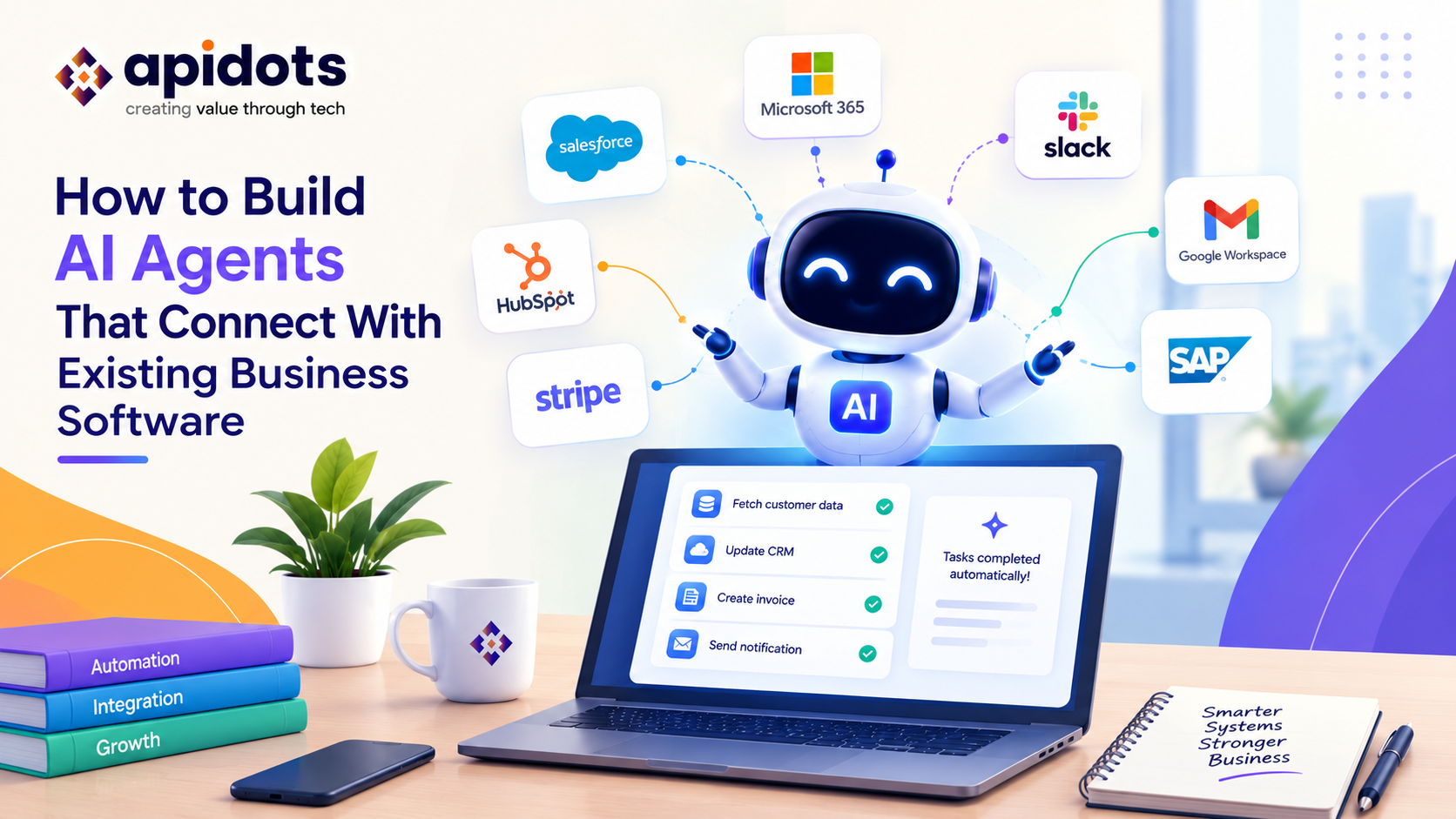
Most businesses already rely on multiple software systems to manage their daily operations. A CRM stores customer information, an ERP manages inventory and finances, accounting software tracks transactions, and project management tools coordinate internal teams. Although these applications support important business functions, they do not always work together seamlessly.
Employees often move between platforms to find information, update records, create reports, follow up with customers, and complete repetitive tasks. Traditional integrations can synchronize data, but they usually depend on predefined rules and workflows.
AI agents introduce a more flexible way to connect business software. Instead of simply transferring information between applications, an AI agent can interpret a request, retrieve relevant data, select approved tools, and coordinate multiple steps toward a business goal.
For example, an AI agent connected to a CRM, inventory system, and accounting platform could check a customer’s order status, verify product availability, retrieve invoice details, and prepare a response all through one workflow.
However, building a reliable agent involves more than connecting an AI model to an API. Developers must consider system architecture, authentication, data quality, business rules, permissions, error handling, and human oversight.
This guide explains how to build AI agents that connect with existing business software, which integration methods to consider, how to protect sensitive data, and how businesses can develop practical AI-powered software solutions without unnecessarily replacing their current systems.
An AI agent is a software system that uses an AI model to interpret goals, make decisions within a defined scope, and interact with tools to complete tasks.
Unlike a basic chatbot, an agent can use connected software capabilities to retrieve information or perform approved actions.
For instance, a chatbot might explain how to check an invoice. An AI agent could retrieve the invoice from an authorized accounting system, verify its status, and summarize the result for the user.
AI agents typically connect to business applications through:
The most appropriate method depends on the software being connected, the vendor’s supported capabilities, the sensitivity of the data, and the actions the agent needs to perform.
OpenAI’s practical guide to building agents describes tools as a way for agents to interact with external systems, retrieve context, and perform actions such as updating records or sending messages.
The central principle is simple: the AI agent decides which approved capability to use, while the integration layer validates and executes the actual operation.
For many organizations, replacing every business application is expensive, disruptive, and unnecessary. Existing software may already contain years of customer records, financial transactions, operational knowledge, and carefully established workflows.
Connecting AI agents to these systems can help businesses introduce intelligence without rebuilding their entire technology stack.
An agent can coordinate tasks that require information from multiple applications.
For example, when a new customer places an order, an agent could retrieve customer details, check inventory, create an internal task, and prepare a status update. Each action would still pass through the relevant application’s permissions and validation rules.
Employees may need to open several systems to answer one business question. A connected agent can gather information from authorized sources and present a consolidated response.
This is especially useful for customer support, sales operations, finance teams, and internal IT support.
An AI agent can translate a natural-language request into structured operations.
Instead of manually searching multiple dashboards, a user might ask, “Which orders are delayed, and which customers need an update?” The agent could query the relevant systems and prepare a response based on the available records.
Businesses can introduce AI features into existing products rather than starting from scratch. This can be useful for organizations investing in SaaS software development, internal business applications, or legacy system modernization.
The value depends on the workflow. If a simple, deterministic integration already solves the problem reliably, adding an AI agent may increase complexity without providing meaningful benefits.
A reliable implementation begins with a business problem, not a particular AI model or framework.
Choose a process that has a clear objective, predictable boundaries, and measurable outcomes.
Examples include checking order status, qualifying leads, preparing invoice summaries, routing support tickets, or generating operational reports.
Document the workflow’s starting event, required information, expected result, exceptions, and approval requirements. Avoid making the first agent responsible for every task across the organization.
List the applications involved in the workflow and identify how each one can be accessed.
Check API documentation, authentication methods, rate limits, data formats, webhooks, permissions, and vendor restrictions. Determine which system is the authoritative source for each type of information.
If a legacy application has no suitable API, consider a supported integration connector or controlled UI automation only after assessing reliability and security.
Keep the AI model separate from the business systems’ core logic.
A practical architecture includes the user interface, agent orchestration layer, AI model, integration tools, authentication and authorization controls, and existing business applications.
The integration layer should validate requests, enforce permissions, normalize responses, and handle failures. This allows developers to update an API integration or AI model without rewriting the entire application.
Give the agent specific functions, such as get_order_status, find_customer, check_inventory, or create_support_ticket.
Each tool should have a clear purpose, typed inputs, expected outputs, validation rules, and defined permissions. Avoid giving an agent unrestricted database access or a generic function that can execute arbitrary operations.
Tool descriptions should explain when a function can be used and what information it requires. These contracts make integrations easier to test, reuse, and maintain.
Authenticate users and services properly, use scoped credentials, and apply the principle of least privilege.
An agent that only needs to check an order should not automatically receive permission to issue refunds, delete records, or access unrelated customer data.
Keep secrets in a suitable secrets-management system, enforce authorization in backend code, and require additional approval for sensitive or irreversible actions.
Define how the agent interprets requests, gathers context, chooses tools, evaluates results, and decides whether the task is complete.
Use deterministic code for critical business rules and calculations. Let the AI handle language interpretation and flexible decision-making where appropriate, rather than asking it to replace every part of the workflow.
For complex processes, use bounded steps, explicit stopping conditions, and controlled handoffs.
Test successful requests, missing data, invalid inputs, API timeouts, permission failures, duplicate requests, and unexpected model outputs.
Begin with read-only access when possible. Introduce write actions gradually, using approval gates for higher-risk operations.
After deployment, monitor task completion, error rates, latency, cost, unauthorized-action attempts, and user feedback. Review failures and update the tools and workflow as business needs evolve.
These steps reflect a central engineering principle: AI agents should operate within a controlled application architecture, rather than receiving unrestricted access to business systems.
Consider a small ecommerce company that uses separate applications for customer relationships, inventory, and accounting.
A customer asks, “Has my order shipped, and is my invoice paid?”
Without an integrated workflow, a support employee may need to open multiple applications, locate records, verify information, and write a response.
A connected AI agent could follow this process:
1. Customer request
Identify the customer and order reference.
CRM
Verify customer and order context
Inventory
Retrieve fulfilment status
Accounting
Verify invoice status
2. Validate results and permissions
Confirm records match, handle missing data, and apply access rules.
3. Return a verified response
Summarize the confirmed shipping and invoice information.
The agent should only report what the connected systems actually confirm. If the shipment status is unavailable or the invoice record is ambiguous, it should explain the limitation or route the request to an employee instead of inventing an answer.
This example illustrates how AI agents development can improve coordination across existing systems without replacing the applications that already manage business records.
Not every business application needs the same integration approach. The right choice depends on the system’s capabilities, the workflow’s complexity, and how much control the agent requires.
| Integration method | Best suited for | Key consideration |
| REST or GraphQL APIs | Reading and updating application data | Authentication, rate limits, and API contracts |
| Webhooks and event-driven systems | Responding to orders, payments, or record changes | Duplicate events and delivery failures |
| Middleware or iPaaS | Connecting several business applications | Mapping, monitoring, and platform costs |
| MCP-compatible tools | Exposing reusable tools and context to AI clients | Authentication and tool-level permissions |
| Database connectors | Approved access to structured internal data | Data isolation and read/write restrictions |
| UI automation | Some legacy applications without suitable APIs | Interface changes and execution reliability |
APIs are usually a good starting point when the application provides well-documented, supported interfaces. Webhooks can notify an agent workflow when something changes, while middleware can simplify connections across numerous applications.
MCP can provide a standardized way to expose tools to compatible AI systems, but it does not replace the need for authentication, authorization, input validation, or safe execution.
For legacy software, UI automation may be necessary in certain situations. However, it should be treated as a fallback when possible because interface changes can make automated interactions fragile.
Connecting AI agents to business software introduces risks beyond those found in a basic chatbot. An agent may have access to customer records, financial information, internal documents, and tools capable of changing business data.
Security therefore needs to be built into the architecture from the beginning.
Give each agent only the permissions required for its assigned task. Separate read operations from write operations, and do not assume that a user request automatically authorizes every action.
For example, an agent may be allowed to prepare a refund request but not approve or issue the refund.
The backend must validate parameters, check permissions, and enforce business rules before executing an operation. Instructions to the AI model are not a substitute for application-level security controls.
Customer emails, uploaded documents, and retrieved web content may contain instructions designed to manipulate an agent. Treat this content as untrusted data rather than as permission to override system rules.
Use tool allowlists, restricted access, output validation, and explicit action policies. Google Cloud’s agent security guidance also recommends layered controls, limited permissions, and visibility into agent activity.
APIs can fail, return incomplete information, or become temporarily unavailable. A production-ready agent needs timeouts, bounded retries, clear error messages, and safe recovery procedures.
For operations that may be repeated, such as creating an order or issuing a payment, use idempotency controls where supported to help prevent duplicate actions.
Record important details such as the requesting user, tool invoked, operation attempted, authorization decision, result, and any human approval. Logs should avoid unnecessarily exposing sensitive customer data or credentials.
Require confirmation for sensitive operations such as financial transfers, refunds, account deletion, or changes to important customer records. The appropriate level of oversight depends on the potential consequences of an incorrect action.
Businesses often need more than an AI assistant connected to a few APIs. They may need an integrated application that fits their existing processes, user roles, data structures, and technology environment.
This is where custom business software development becomes valuable.
A tailored solution can combine AI agents with established business systems through a dedicated integration layer, shared data models, workflow orchestration, and monitoring tools.
Small businesses can benefit from targeted automation without building a large enterprise platform.
Examples include:
For custom software development for small business, the best starting point is usually one high-value workflow with a clearly measurable outcome.
The solution should be proportionate to the business’s budget, technical capacity, security needs, and expected return. A small, well-controlled agent can be more useful than a complicated multi-agent system that is difficult to maintain.
For SaaS providers, connecting AI agents to existing software can become a product capability rather than merely an internal productivity feature.
A SaaS application might allow customers to retrieve account information, create records, generate reports, or coordinate tasks across connected applications.
However, SaaS products must account for tenant isolation, customer-specific permissions, usage limits, integration failures, and differences between customer configurations.
AI agents should not bypass the SaaS application’s established authorization model. Each action must respect the authenticated user’s permissions and the customer’s data boundaries.
When planning SaaS software development, teams should also consider agent usage costs, API limits, observability, data retention, and how integrations will be maintained as external services evolve.
Not every integration requires a custom machine learning model.
Many agent workflows can use an existing language model alongside conventional application code, business rules, and APIs.
ML software development becomes more relevant when the product needs specialized capabilities such as forecasting, anomaly detection, classification, recommendation, or prediction based on domain-specific data.
For example, an AI agent might use a separate predictive model to estimate inventory demand, then retrieve current stock levels from an ERP and prepare a replenishment recommendation.
Keeping these responsibilities separate can make the system easier to evaluate, maintain, and improve.
An agent should be evaluated on business outcomes, not simply on whether it can call an API or generate a convincing response.
Before deployment, establish a baseline and choose metrics relevant to the workflow.
| Metric | What it helps measure |
| Task completion rate | How often the workflow finishes successfully |
| Data accuracy | Whether retrieved and updated information is correct |
| Time saved per task | Whether the process becomes more efficient |
| Human escalation rate | How often the agent needs intervention |
| Error and recovery rate | How well the workflow handles failures |
| Cost per completed task | Whether the solution is economically viable |
| Policy violations | Whether actions stay within defined permissions |
Measure these metrics across representative scenarios, including edge cases. A high completion rate is not enough if the agent occasionally performs an unauthorized action or returns incorrect information.
Run a pilot, review the results, and expand only when the workflow is reliable enough for its intended use.
Even a technically functional agent can fail to deliver business value if its integration design is weak. Watch out for these common mistakes:
A successful implementation combines AI reasoning with established software engineering practices. The AI should provide flexibility where needed, while application code maintains control over sensitive operations and critical business logic.
Building AI agents that connect with existing business software is about more than integrating an AI model with an API. It requires a clear understanding of business processes, reliable system architecture, secure integrations, controlled permissions, and measurable outcomes.
When implemented thoughtfully, AI agents can help businesses coordinate information across CRM, ERP, accounting, customer support, and other operational platforms without unnecessarily replacing their existing software.
At APIDOTS, we help businesses turn technology requirements into practical digital solutions through our expertise in AI development, software engineering, API integrations, and scalable application development. Our approach to AI agents development, custom business software development, and SaaS software development focuses on building solutions around real business workflows and technical requirements.
Whether you’re a small business looking to automate repetitive tasks or an established organization planning to integrate AI into existing applications, APIDOTS can help you assess the right architecture, connect relevant systems, and develop software that supports your long-term goals.
The most effective AI agents are not necessarily the most autonomous. They are the ones that solve a clearly defined problem, work reliably with existing systems, protect business data, and deliver measurable value. solve a clearly defined problem, work reliably with existing systems, protect business data, and deliver measurable value.
AI agents typically connect through APIs, webhooks, integration middleware, database connectors, or compatible tool protocols. An integration layer validates requests, enforces permissions, and executes approved operations in systems such as CRM, ERP, accounting, and customer support platforms.
AI agent development generally requires a defined business use case, an AI model, clearly specified tools, integration interfaces, workflow orchestration, authentication, authorization, testing, monitoring, and appropriate human oversight. The exact requirements depend on the complexity and risk of the intended workflow.
Yes, provided a reliable integration method is available. Developers can use existing APIs, middleware, supported connectors, or controlled UI automation when appropriate. Legacy integrations need particular attention to reliability, access controls, and recovery from interface or system changes.
The cost depends on the number of integrations, workflow complexity, security requirements, AI model usage, deployment environment, and ongoing maintenance. A focused agent connected to one application is generally less complex than a solution coordinating multiple enterprise systems. A detailed scope and proof of concept can help establish a realistic budget.
Small businesses can use AI agents to automate customer support, prepare sales follow-ups, retrieve business information, organize internal tasks, and coordinate routine operations. Starting with one repetitive, measurable workflow can help control costs and demonstrate value before expanding the solution.
Traditional software generally follows predefined instructions and rules. AI agent development adds AI-driven interpretation and flexible decision-making, allowing software to select among approved tools and coordinate multi-step tasks. Reliable implementations still use conventional software logic for validation, security, and critical business rules.
We build and deploy end-to-end AI software solutions for businesses. Accelerating efficiency, automation, and intelligent decision-making.
Get AI Development Services