
Top
Search
People also search for:

Stay Inspired with Instagram




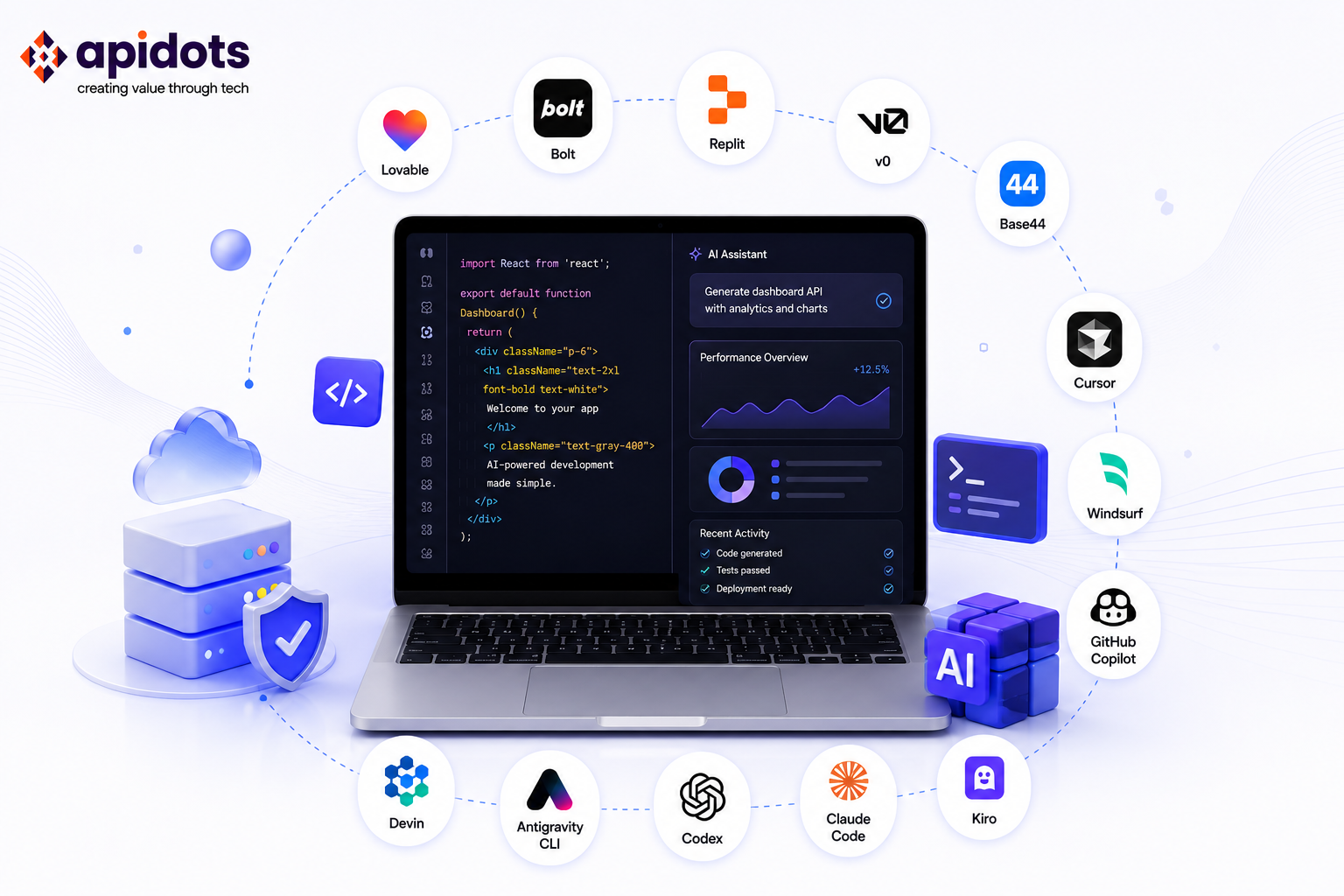
Looking for the best vibe coding tools in 2026? This guide separates prompt-first app builders from repo-first coding agents, compares current pricing and use cases, and highlights major 2026 changes such as Windsurf’s Cognition ownership and Google’s Antigravity CLI transition.
The best vibe coding tool depends on the job. If you want to turn a prompt into a working web app with minimal setup, start with an AI app builder such as Lovable, Bolt, Replit, v0, or Base44. If you already work in a repository and want AI to edit files, run commands, test changes, or take on scoped engineering tasks, look at coding agents such as Cursor, Claude Code, GitHub Copilot, Windsurf, Kiro, Codex, Antigravity CLI, or Devin.
This comparison uses official product documentation, pricing pages, and vendor announcements where available. I have checked pricing and product access on August 7, 2026. Because these tools change quickly, always confirm the vendor’s current plan before purchasing.
Vibe coding is a prompt-driven way of creating or modifying software with AI. Andrej Karpathy popularized the term in early 2025 and was later named Collins Dictionary’s Word of the Year for 2025. In practice, the label now covers a wide spectrum: no-code-friendly app builders, AI-enhanced IDEs, terminal agents, and more autonomous software-engineering agents.
Two developments are especially relevant in 2026. Cognition acquired Windsurf in July 2025, bringing the Windsurf IDE and Devin under the same company. Google also moved consumer Gemini CLI users toward Antigravity CLI; consumer Gemini CLI and Gemini Code Assist IDE requests stopped being served on June 18, 2026.
Vibe coding is also not the same discipline as writing precise, structured prompts for an existing codebase. If you want the deeper distinction, our breakdown of context engineering versus vibe coding covers where one ends and the other begins.
Prompt-first app builders are optimized for going from an idea to a working application with less manual setup. They can still expose code and support developers, but their primary experience is conversational building, previewing, and deployment. Lovable, Bolt, Replit, v0, and Base44 fit this group.
Repo-first coding agents are optimized for software work inside an existing development workflow. They can inspect repositories, edit multiple files, run commands or tests, and in some cases delegate work to cloud agents.
Cursor, Claude Code, GitHub Copilot, Windsurf, Kiro, Codex, Antigravity CLI, and Devin fit here. The boundary is not absolute: several coding agents can scaffold new projects, and several app builders let experienced developers edit the generated code.
Choose based on your starting point and the level of control you need. App builders reduce setup for prototypes, internal tools, and many web apps. Repo-first agents are usually a better fit when your team already has an architecture, test suite, deployment process, or compliance requirements.
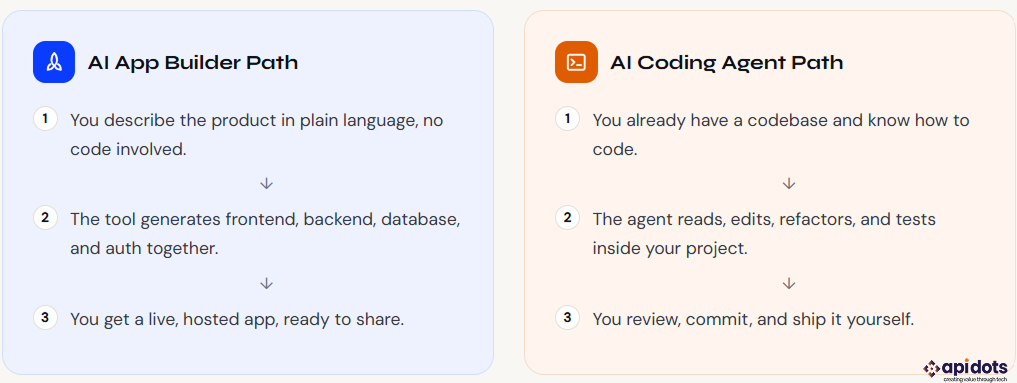
We grouped tools by their primary workflow instead of forcing every product into one ranking. We reviewed official product documentation, pricing pages, and company announcements, then compared each tool on four practical factors: what it can build or edit, how much developer control it provides, deployment and integration options, and the current entry price.
This is not a benchmark of model intelligence. Features can vary by model, plan, region, and usage quota, so the “best” tool depends on your workflow. Prices below are in USD where vendors publish USD pricing and may exclude taxes.
Tools are grouped by category first, then ordered by how complete or capable the output is within that group.
Free; Pro $25/mo
Best for: founders and teams building polished web apps
Lovable is a prompt-first web app builder that can generate interfaces, application logic, and backend-connected experiences. It supports Lovable Cloud as a built-in backend and also offers a native Supabase integration for database and authentication workflows. Newer Lovable projects use a server-rendered stack designed to improve crawlability, while GitHub integration gives teams a path to continue development outside the builder.
Official verification: pricing · documentation
Free; Pro $25/mo
Best for: rapid browser-based prototypes and demos
Bolt is a browser-based AI website and app builder designed for fast iteration from natural-language prompts. Its paid Pro plan includes larger token allowances, hosting, custom domains, and additional deployment features. It is a strong fit when speed matters more than starting from a carefully designed repository architecture, but teams should still review the generated code before relying on it for sensitive production workloads.
Official verification: pricing
Free; Core $25/mo ($20 annualized)
Best for: web and native mobile apps with an integrated dev environment
Replit combines an AI app-building workflow with a full browser-based development environment. Replit Agent can create web apps and native mobile apps, and Replit documents React Native and Expo workflows for iOS and Android. Developers can also drop into the code, terminal, database, and deployment tooling directly, making Replit a useful bridge between prompt-first building and conventional development.
Official verification: pricing · mobile apps
Free; Plus $30/user/mo
Best for: full-stack Next.js apps and high-fidelity UI
v0 has expanded well beyond component generation. Vercel now positions it as a tool for building real web apps, from individual React components to full-stack applications with backend logic, authentication, databases, external APIs, and one-click deployment. It defaults to Next.js and integrates naturally with Vercel’s infrastructure, which makes it especially attractive to teams already using the React and Next.js ecosystem.
Official verification: pricing · full-stack docs
Free; Starter $20/mo ($16 annualized)
Best for: non-technical founders and internal business apps
Base44 is a conversational app builder that includes core application infrastructure such as authentication and database functionality, with higher plans adding capabilities such as code editing and GitHub integration. Wix operates Base44, and the platform is positioned for people who want to move from a business requirement to a working application without assembling a separate frontend, backend, and hosting stack by hand.
Official verification: pricing · billing docs
Free; Pro $20/mo
Best for: developers who want deep codebase-aware editing
Cursor is an AI-first code editor based on the VS Code ecosystem. Its agent features can inspect a repository, make multi-file changes, work with project context, and use modern frontier models. It is a strong default for developers who want AI integrated into an editor without giving up direct control over files, diffs, tests, and version-control workflows.
Official verification: pricing
Included with Claude Pro $20/mo; Max from $100/mo
Best for: terminal-first development and larger codebase changes
Claude Code is Anthropic’s coding agent for terminal and developer workflows. It can inspect a codebase, edit files, run shell commands, execute tests, and coordinate more complex development tasks. Claude Code is included with Claude Pro and Max plans; Anthropic also offers higher-usage Max tiers for developers who need substantially more capacity.
Official verification: Claude Code plans · Claude pricing
Free; Pro $10/mo
Best for: developers and teams already centered on GitHub
GitHub Copilot combines code completion, chat, agent workflows, code review, and GitHub-native integrations. The individual Pro plan remains a low-cost entry point, while GitHub now meters many agentic interactions through GitHub AI Credits. Code completions and next-edit suggestions remain unlimited on paid individual plans, while more advanced agent usage draws from the plan’s included credit allowance.
Official verification: plans and pricing
Free; Pro $20/mo
Best for: an agentic IDE with integrated cloud-agent options
Windsurf is an agentic IDE with code-editing, terminal, and multi-file agent workflows. Cognition signed a definitive agreement to acquire Windsurf in July 2025, and the products now sit under the same company as Devin. Windsurf’s current Pro plan increases access to frontier models and cloud-agent capabilities while retaining a free entry tier.
Official verification: Windsurf plans · Cognition acquisition
Free; Pro $20/mo
Best for: spec-driven development and teams migrating from Amazon Q Developer
Kiro is AWS’s agentic development environment built around spec-driven development. Its Specs workflow turns requirements into structured implementation plans before code is changed, while hooks, steering files, and subagents provide additional control for repeatable engineering workflows. AWS has announced that Amazon Q Developer IDE plugins and paid subscriptions will reach end of support on April 30, 2027, with Kiro positioned as the migration path for those IDE capabilities.
Official verification: Kiro pricing · AWS transition notice
Included across ChatGPT plans; limits vary.
Best for: developers who want local and cloud coding agents tied to ChatGPT
OpenAI Codex is a coding agent available across terminal, IDE, web, app, and cloud workflows. It can work locally in a repository or take delegated tasks in isolated cloud environments. As of August 2026, OpenAI states that Codex is included across ChatGPT plans, including Free and Go, with usage limits and credit options varying by plan.
Official verification: current plan access · Codex overview
Individual $0; higher limits with Google AI plans
Best for: terminal-first agent workflows in Google’s Antigravity ecosystem
Google Antigravity CLI is the terminal-first interface for Google’s Antigravity agent platform. Google introduced it in May 2026 as the successor path for consumer Gemini CLI workflows. Consumer Gemini CLI and Gemini Code Assist IDE requests stopped being served on June 18, 2026. Antigravity CLI now has a $0 individual tier with baseline limits, while Google AI Pro, Google AI Ultra, and Google Cloud organization plans provide higher quotas or enterprise access.
Official verification: Antigravity pricing · transition announcement
Free; Pro $20/mo; Teams from $80/mo
Best for: delegating well-scoped engineering tasks
Devin is designed for delegated software-engineering work rather than only inline assistance. It can inspect repositories, plan changes, modify code, run tests, and continue a scoped task with relatively little supervision. Cognition’s current self-serve lineup includes Free, Pro, Max, and Teams plans; enterprise customers use a separate ACU-based billing model defined in their agreements.
Official verification: self-serve billing · billing overview
| Tool | Category | Best For | Starting price |
| Lovable | App builder | Polished web apps and MVPs | Free; Pro $25/mo |
| Bolt | App builder | Rapid browser-based prototypes | Free; Pro $25/mo |
| Replit | App builder / IDE | Web and native mobile apps | Free; Core $25/mo |
| v0 by Vercel | Full-stack app builder | Next.js apps and high-fidelity UI | Free; Plus $30/user/mo |
| Base44 | App builder | Internal tools and founder-led apps | Free; Starter $20/mo |
| Cursor | Coding agent / IDE | Codebase-aware development | Free; Pro $20/mo |
| Claude Code | Coding agent | Terminal-first refactors and implementation | Claude Pro $20/mo |
| GitHub Copilot | Coding agent | GitHub-native teams | Free; Pro $10/mo |
| Windsurf | Coding agent / IDE | Agentic IDE workflows | Free; Pro $20/mo |
| Amazon Kiro | Coding agent / IDE | Spec-driven engineering | Free; Pro $20/mo |
| OpenAI Codex | Coding agent | Local + cloud delegated coding | Included; limits vary |
| Google Antigravity CLI | Coding agent / CLI | Google agent workflows | Individual $0 |
| Devin | Autonomous coding agent | Delegated scoped tasks | Free; Pro $20/mo |
Use these questions to narrow the list before you compare model names or headline features. The right tool is the one that matches your starting point, control requirements, and deployment workflow.
Prompt quality matters as much as tool choice here. Specific, well-scoped instructions burn fewer credits and produce cleaner output across every tool on this list, whether you are working inside an app builder or steering a terminal agent through a longer AI coding workflow.
Vibe coding tools can shorten the path to a prototype, but production readiness is a separate engineering concern. Before real users or sensitive data are involved, teams should verify authentication, authorization, input validation, secrets handling, dependency risk, logging, monitoring, backups, and rollback procedures.
The risk is not unique to AI-generated code; the difference is speed. AI can generate a large amount of code quickly, which makes disciplined review, automated testing, and security controls more important. Agentic workflows also introduce new identity and access questions when agents can use credentials, call external tools, or make changes across connected systems.
At API DOTS, the practical handoff is often from fast validation to engineering hardening: review the architecture, secure the application, add tests and observability, and prepare deployment and scaling controls before launch. If your prototype is moving toward production, talk to the API DOTS engineering team.
There is no single best tool for every workflow. For prompt-first web app building, Lovable, Bolt, Replit, v0, and Base44 are strong options. For developers working in repositories, Cursor, Claude Code, GitHub Copilot, Windsurf, Kiro, Codex, Antigravity CLI, and Devin offer different levels of editor, terminal, cloud-agent, and autonomous support.
They can be used in production, but generated code should not bypass normal engineering review. Validate authentication and authorization, secrets handling, dependency security, input validation, testing, observability, backups, and deployment controls before putting sensitive data or critical workloads at risk.
An AI app builder is optimized for turning a prompt into a working application with less setup, often including preview and deployment. A coding agent is optimized for working with source code and repositories: inspecting files, editing code, running commands or tests, and taking on scoped engineering tasks. The categories increasingly overlap.
Not always. Prompt-first builders such as Lovable, Bolt, Replit, v0, and Base44 are accessible to non-developers, although coding knowledge helps with debugging and production hardening. Repo-first agents are most useful when you understand the codebase and can review the changes they make.
Many products offer a free entry tier. As of August 7, 2026, common individual paid plans range from about $10 to $30 per month, but real cost can rise with credits, tokens, premium models, cloud execution, or team seats. Always check the vendor’s current pricing before budgeting.
We used primary vendor sources wherever possible. These links are included so readers can verify pricing, product access, and ownership changes directly.
We build and deploy end-to-end AI software solutions for businesses. Accelerating efficiency, automation, and intelligent decision-making.
Get AI Development Services
Hi! I’m Aminah Rafaqat, a technical writer, content designer, and editor with an academic background in English Language and Literature. Thanks for taking a moment to get to know me. My work focuses on making complex information clear and accessible for B2B audiences. I’ve written extensively across several industries, including AI, SaaS, e-commerce, digital marketing, fintech, and health & fitness , with AI as the area I explore most deeply. With a foundation in linguistic precision and analytical reading, I bring a blend of technical understanding and strong language skills to every project. Over the years, I’ve collaborated with organizations across different regions, including teams here in the UAE, to create documentation that’s structured, accurate, and genuinely useful. I specialize in technical writing, content design, editing, and producing clear communication across digital and print platforms. At the core of my approach is a simple belief: when information is easy to understand, everything else becomes easier. Reach me at amysbrew.com